There is a tiny kind of frustration that only quiz lovers understand.
You open a daily quiz.
You know the answer.
You click.
And then nothing happens.
The page freezes. The button does not respond. The image loads halfway. Or worse, the quiz works perfectly yesterday but acts strange today. That is when the question appears: does Bing Quiz work better on one browser than another?
The honest answer is yes, sometimes it does.
Most modern browsers can run a Bing Quiz smoothly. Chrome, Edge, Safari, and Firefox are all powerful enough for daily trivia pages, image-based questions, answer buttons, score tracking, and simple interactive quiz layouts. But they do not always behave exactly the same.
Some are faster.
Some are cleaner.
Some handle Microsoft-related features better.
Some are more private but occasionally stricter.
So let’s compare them in a practical way.
No heavy tech talk. No browser-war drama. Just a clear guide for people who want to play Bing Quiz without annoying glitches.
What Is Bing Quiz?
Bing Quiz usually refers to trivia-style quiz content connected to Bing-related topics, homepage trivia, daily questions, news quizzes, entertainment quizzes, science questions, geography challenges, and general knowledge tests.
Some users play it directly through Microsoft Bing. Others visit quiz sites that publish daily Bing-style trivia challenges.
If you want a simple place to start, you can visit the <a href=”https://bing.weeklyquiz.net/bing-homepage-quiz/”>Daily Bing Homepage Quiz page</a> and try the latest quiz from your browser.
The fun part is simple: answer questions, test what you know, and learn something new in a few minutes.
But the browser you use can affect the experience.
Why Your Browser Matters for Bing Quiz
At first, a quiz page looks simple.
A title.
A few questions.
Some answer buttons.
Maybe an image or two.
But behind that simple page, your browser is doing several jobs at once. It loads scripts, displays images, remembers page data, handles clicks, manages pop-ups, blocks trackers, stores cookies, and sometimes controls whether interactive elements work properly.
That is why one browser may feel smooth while another feels slightly off.
For example, a Bing Quiz may load quickly on Edge but feel slower on Safari if the page has many scripts. Firefox may block certain tracking elements, which can improve privacy but occasionally affect embedded features. Chrome may handle most quiz pages well, but too many extensions can slow it down.
The browser matters because the quiz is not just text. It is an interactive page.
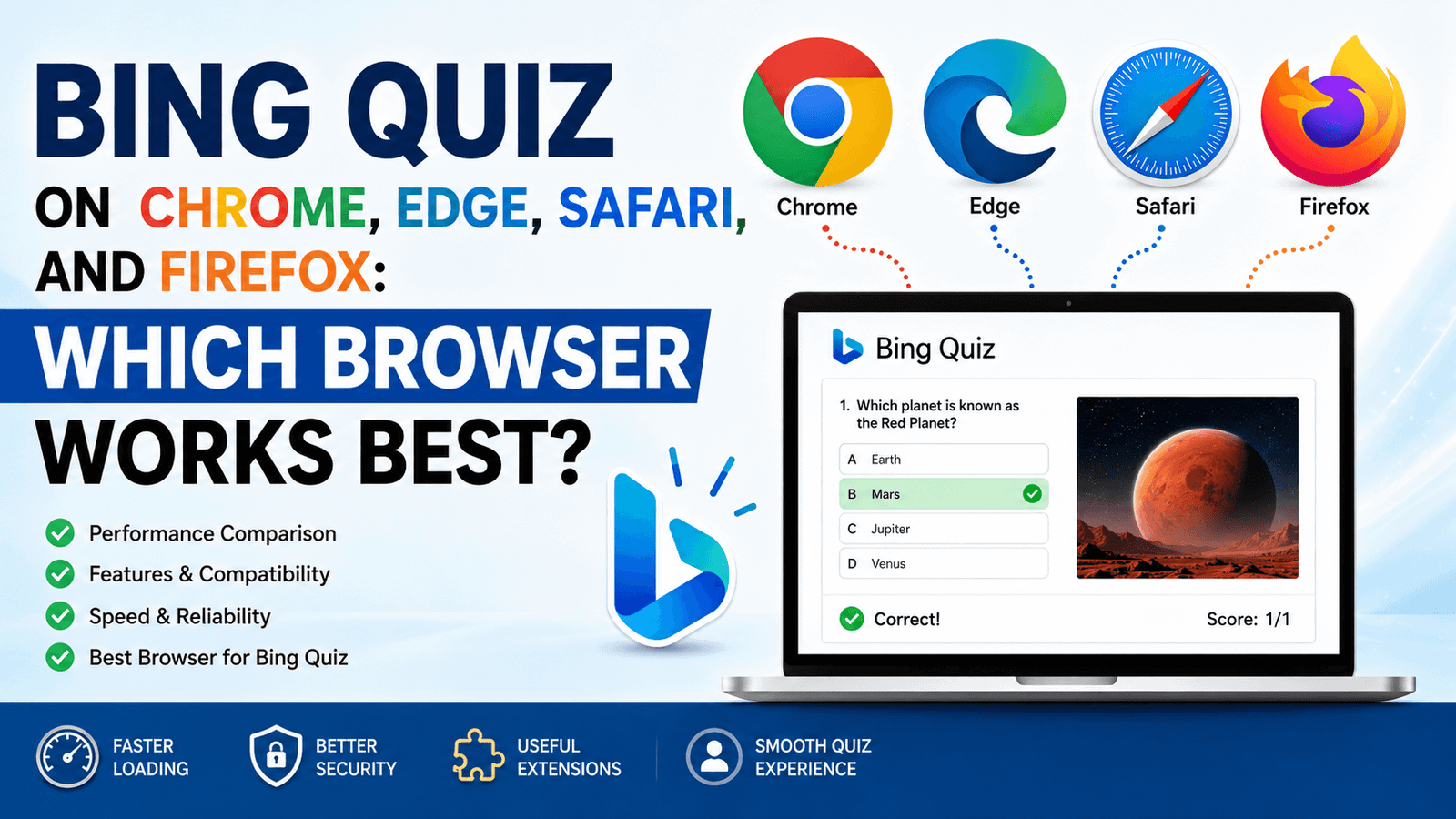
Quick Answer: Which Browser Works Best for Bing Quiz?
For most users, Microsoft Edge is the best browser for Bing Quiz, especially if the quiz is connected to Bing, Microsoft Rewards, or the Bing homepage experience.
That is not shocking. Edge is Microsoft’s browser, and Bing is Microsoft’s search engine. They naturally work well together.
But Chrome is also excellent. Safari is good for Apple users. Firefox is reliable, especially for privacy-focused players.
Here is the simple breakdown:
| Browser | Best For | Overall Bing Quiz Experience |
|---|---|---|
| Microsoft Edge | Bing, Microsoft Rewards, homepage quiz features | Best overall |
| Google Chrome | Speed, compatibility, extensions | Very strong |
| Safari | iPhone, iPad, Mac users | Good, but sometimes stricter |
| Firefox | Privacy and clean browsing | Good, but may need settings tweaks |
Now let’s go deeper.
1. Microsoft Edge: Best Overall for Bing Quiz
If Bing Quiz is part of your daily routine, Edge is probably the smoothest choice.
Why?
Because Edge and Bing live in the same Microsoft neighborhood. They were built to work together. Bing search, Bing homepage features, Microsoft Rewards, sign-in sync, and daily quiz prompts often feel more natural inside Edge.
The page loads cleanly.
Buttons usually respond well.
Microsoft account features are easier to access.
Rewards-related actions, when available, are less likely to feel disconnected.
That gives Edge a clear advantage.
Why Edge Works Well
Edge is especially good if you are playing Bing Quiz through Microsoft services. It keeps your Microsoft account close, supports Bing features directly, and often encourages daily search and quiz activity.
It also feels lighter than it used to. Years ago, people laughed at Microsoft browsers. Fair enough. Internet Explorer gave everyone trust issues. But Edge today is very different. It is fast, modern, and built on Chromium, the same browser engine used by Google Chrome.
So you get Chrome-like compatibility with deeper Bing integration.
That is a nice combo.
Possible Downside of Edge
The main downside is preference. Some users simply do not like Edge. It can feel a little too Microsoft-heavy, especially if you prefer a cleaner browser setup.
You may also see more Bing and Microsoft prompts than you want. Not always bad. Just noticeable.
Still, for Bing Quiz specifically, Edge is hard to beat.
Best For
Edge is best for users who:
✅ Play Bing Quiz daily
✅ Use Microsoft Rewards
✅ Sign in with a Microsoft account
✅ Want fewer compatibility problems with Bing features
✅ Use Windows as their main device
2. Google Chrome: Best Alternative for Speed and Compatibility
Chrome is the safe choice.
It works with almost everything. That is its superpower. Whether you are opening a daily quiz, watching videos, checking email, using WordPress, or jumping between 15 tabs like a digital raccoon, Chrome usually handles it.
For Bing Quiz, Chrome performs very well. Pages load quickly, interactive elements work smoothly, and most quiz layouts display correctly.
If Edge is the best Bing-native option, Chrome is the best all-around browser.
Why Chrome Works Well
Chrome is widely supported by website owners and developers. Many sites are tested on Chrome first because so many people use it. That means quiz pages often behave exactly as expected.
Answer buttons? Usually fine.
Images? Usually fine.
JavaScript-based quiz sections? Usually fine.
Mobile and desktop layouts? Usually fine.
Chrome is also excellent if you have a Google-based workflow. If your bookmarks, passwords, and browsing history already live inside Chrome, switching browsers just to play a quiz may feel unnecessary.
And honestly, it probably is unnecessary unless you are chasing Microsoft Rewards or Bing-specific features.
Possible Downside of Chrome
Chrome can get heavy.
If you have too many extensions installed, your Bing Quiz page may load slower or behave strangely. Ad blockers, script blockers, coupon extensions, privacy tools, grammar checkers, and random browser add-ons can interfere with quiz buttons or pop-ups.
Not always. But it happens.
Chrome also uses more memory than some people like. If your computer is older, a quiz page may feel slower when Chrome is carrying 40 open tabs and several extensions.
A browser can only do so much before it starts breathing heavily.
Best For
Chrome is best for users who:
✅ Want strong compatibility
✅ Already use Chrome every day
✅ Play Bing Quiz on many different quiz websites
✅ Need fast loading and stable performance
✅ Do not rely heavily on Microsoft Rewards
3. Safari: Best for iPhone, iPad, and Mac Users
Safari is the natural choice if you are using an iPhone, iPad, or Mac.
It is smooth, efficient, and designed for Apple devices. On iOS especially, Safari often feels faster and more battery-friendly than other browsers.
For Bing Quiz, Safari usually works well. You can open quiz pages, answer questions, view images, and browse daily trivia without much trouble.
But there is one catch.
Safari can be stricter with cookies, tracking, pop-ups, and cross-site behavior. That is good for privacy. Sometimes, though, it can affect features that rely on stored sessions or embedded scripts.
Why Safari Works Well
Safari is excellent on mobile. If you play Bing Quiz from your iPhone while drinking coffee, riding a jeepney, or pretending not to scroll during a boring wait, Safari is convenient.
It loads pages neatly. Text is readable. Images usually look sharp. It also tends to be kind to battery life.
For simple quiz pages, Safari is more than enough.
Possible Downside of Safari
Some Bing-related features may work more smoothly on Edge than Safari. This is especially true if you are signed in with a Microsoft account or using features connected to Microsoft Rewards.
Safari may also block certain cookies by default. If your quiz progress, login, or score is not saving properly, privacy settings may be part of the issue.
This does not mean Safari is bad.
It just means Safari sometimes says, “Nice try, website, but I do not fully trust you.”
And honestly, that is very Safari.
Best For
Safari is best for users who:
✅ Play Bing Quiz on iPhone or iPad
✅ Use a Mac as their main computer
✅ Want good battery performance
✅ Prefer Apple’s privacy features
✅ Mostly play simple daily quiz pages
4. Firefox: Best for Privacy-Focused Quiz Players
Firefox is the browser for people who like control.
It is independent, privacy-friendly, customizable, and less tied to big tech ecosystems compared with Chrome, Edge, or Safari. If you care about privacy while browsing quiz websites, Firefox is a strong option.
For Bing Quiz, Firefox works well most of the time. Questions load. Buttons work. Images display correctly. The experience is generally stable.
But there may be occasional hiccups if tracking protection is too strict.
Why Firefox Works Well
Firefox gives users more control over privacy and browsing behavior. It blocks many trackers by default, which can make browsing feel cleaner.
For quiz websites with lots of scripts, ads, or third-party elements, Firefox may reduce clutter and make the page feel more focused.
That can be a big plus.
Possible Downside of Firefox
Some interactive quiz features may not behave properly if Firefox blocks scripts or third-party cookies. This depends on the website.
If a Bing Quiz page does not load correctly in Firefox, the issue is often related to strict privacy settings, extensions, or blocked content.
The fix is usually simple: disable strict tracking protection for that specific site, refresh the page, and try again.
Best For
Firefox is best for users who:
✅ Care about privacy
✅ Want fewer trackers
✅ Like browser customization
✅ Prefer an independent browser
✅ Do not mind adjusting settings occasionally
Browser Comparison: Bing Quiz Performance
Here is a practical comparison for everyday quiz players.
| Feature | Edge | Chrome | Safari | Firefox |
|---|---|---|---|---|
| Bing integration | Excellent | Good | Fair | Fair |
| Microsoft Rewards support | Excellent | Good | Fair | Fair |
| Quiz page loading | Fast | Fast | Good | Good |
| Mobile experience | Good | Good | Excellent on iOS | Good |
| Privacy protection | Good | Moderate | Strong | Strong |
| Extension compatibility | Good | Excellent | Limited | Good |
| Best for beginners | Excellent | Excellent | Good | Good |
| Best for Apple users | Fair | Good | Excellent | Good |
| Best for privacy | Good | Moderate | Strong | Excellent |
Overall winner: Microsoft Edge
Best alternative: Google Chrome
Best for Apple users: Safari
Best for privacy: Firefox
Best Browser for Bing Quiz on Desktop
For desktop users, the best browser is usually Microsoft Edge.
This is especially true if you use Windows. Edge is already installed, works well with Bing, and connects smoothly with Microsoft account features.
Chrome is almost tied with Edge for general quiz performance. In fact, if you are not using Microsoft Rewards, Chrome may feel just as good.
Safari is good on Mac, but not available in a modern version for Windows. Firefox is stable, but you may occasionally need to adjust privacy settings.
Desktop ranking:
- Microsoft Edge
- Google Chrome
- Firefox
- Safari for Mac users only
If you use a Windows laptop, go with Edge first. If you are already a Chrome person, Chrome is perfectly fine.
Best Browser for Bing Quiz on Mobile
On mobile, the answer depends on your device.
For Android, Chrome or Edge usually works best. Chrome is built into many Android phones, while Edge gives you better Bing integration.
For iPhone, Safari is the easiest and most natural choice. Edge and Chrome are available on iOS, but Safari still feels deeply connected to the Apple experience.
Mobile ranking:
- Safari for iPhone users
- Chrome for Android users
- Edge for Bing-focused users
- Firefox for privacy-focused users
If you mostly play Bing Quiz on your phone, do not overthink it. Use the browser that loads the page fastest and keeps your login working.
That is the real test.
Does Bing Quiz Work Better on Edge?
Yes, in many cases, Bing Quiz works best on Microsoft Edge, especially when the quiz is connected to Bing, Microsoft Rewards, or Microsoft account activity.
Edge is designed to support Microsoft services smoothly. That can make a difference when you are trying to access the Bing homepage quiz, daily trivia prompts, search-based activities, or rewards-related features.
But here is the important part: Edge is not required for every Bing Quiz.
If you are playing a regular quiz page, Chrome, Safari, and Firefox can work just fine. The advantage of Edge becomes more obvious when Microsoft account features are involved.
Does Bing Quiz Work on Chrome?
Yes, Bing Quiz works well on Chrome.
Chrome is one of the best browsers for quiz websites because it supports modern web features and handles interactive pages smoothly.
If a Bing Quiz does not work on Chrome, the problem is usually caused by one of these:
✅ Too many extensions
✅ Cached page errors
✅ Ad blockers blocking scripts
✅ Old browser version
✅ Weak internet connection
✅ Cookies disabled
The quick fix is to open the quiz in an incognito window. If it works there, one of your extensions or saved browser settings may be causing the issue.
Classic Chrome detective work.
Does Bing Quiz Work on Safari?
Yes, Bing Quiz works on Safari, especially for simple quiz pages.
Safari is a good option for iPhone, iPad, and Mac users. It is fast, clean, and efficient.
However, if the quiz requires sign-in, cookies, or third-party scripts, Safari may sometimes behave differently because of its privacy protections.
If your score is not saving or a quiz button does not respond, try these steps:
- Refresh the page.
- Turn off content blockers for the quiz site.
- Allow cookies for the site.
- Update Safari.
- Try Edge or Chrome if the problem continues.
Safari is good. But occasionally, it needs a little nudge.
Does Bing Quiz Work on Firefox?
Yes, Bing Quiz works on Firefox.
Firefox is reliable for most quiz pages. It is also a strong choice if you care about privacy.
But Firefox’s tracking protection can sometimes block elements that a quiz page needs. This is more likely on sites with embedded content, ads, analytics, or third-party scripts.
If the quiz does not load correctly, click the shield icon near the address bar and adjust tracking protection for that site.
That usually fixes it.
Common Bing Quiz Browser Problems and Fixes
Sometimes the issue is not the browser itself. It is the browser setup.
Here are the most common problems.
1. Quiz Buttons Are Not Working
This usually happens because JavaScript is blocked or a browser extension is interfering.
Try this:
- Refresh the page.
- Disable ad blockers for the site.
- Try private or incognito mode.
- Clear your browser cache.
- Update your browser.
2. Bing Quiz Page Loads Slowly
Slow loading may be caused by weak internet, too many open tabs, heavy extensions, or cached data.
Try closing unused tabs first. It sounds too simple, but it works more often than people admit.
3. Images Are Not Showing
Some quizzes use images for questions or answer clues. If images do not appear, check your connection, disable content blockers, or reload the page.
On mobile, switch from mobile data to Wi-Fi if possible.
4. Score Is Not Saving
This is usually related to cookies, login status, or privacy settings.
Make sure you are signed in if the quiz requires an account. Also check whether your browser is blocking cookies.
Safari and Firefox users may notice this more often because both browsers are stricter with privacy by default.
5. Quiz Works on One Browser But Not Another
That usually means the issue is browser-specific.
Use this quick test:
- Open the quiz in Edge.
- Open the same quiz in Chrome.
- Try Safari or Firefox if available.
- See which one loads cleanly.
If it works in one browser but not another, the broken browser likely has a setting, extension, or cache problem.
Best Settings for Playing Bing Quiz Smoothly
To get the best Bing Quiz experience, use these browser settings:
✅ Keep your browser updated
✅ Allow JavaScript
✅ Allow necessary cookies
✅ Disable aggressive content blockers for trusted quiz pages
✅ Use a stable internet connection
✅ Sign in if the quiz needs account tracking
✅ Clear cache when pages act strange
✅ Avoid too many extensions
You do not need a fancy setup.
You just need a clean browser that is not fighting the page.
My Personal Pick: Edge for Bing, Chrome for Everything Else
If I were choosing one browser only for Bing Quiz, I would pick Microsoft Edge.
Not because it is magically better at trivia. Sadly, no browser can make you remember obscure geography facts from 7th grade. But Edge fits Bing better. It feels smoother for Microsoft-related quiz experiences, especially if rewards or account features are involved.
For general quiz websites, I would be equally happy with Chrome.
Safari is my pick for iPhone users. Firefox is my pick for people who care about privacy and do not mind adjusting settings once in a while.
So the best browser depends on your style:
✅ Want the best Bing experience? Use Edge.
✅ Want the safest all-around option? Use Chrome.
✅ Use iPhone or Mac? Safari is fine.
✅ Want privacy? Firefox is your friend.
Simple.
Final Verdict: Which Browser Works Best for Bing Quiz?
The best browser for Bing Quiz is Microsoft Edge, especially if you are using Bing homepage features, Microsoft Rewards, or a Microsoft account.
But Chrome is very close. It is fast, stable, and works well with most quiz sites.
Safari is best for Apple users who want a smooth mobile experience. Firefox is best for privacy-focused users who prefer more control.
Here is the final ranking:
- Microsoft Edge — best overall for Bing Quiz
- Google Chrome — best all-around alternative
- Safari — best for iPhone, iPad, and Mac
- Firefox — best for privacy and customization
At the end of the day, the best browser is the one that lets you play without interruptions.
Because the quiz should be the challenge.
Not the browser.
FAQs About Bing Quiz Browsers
What browser is best for Bing Quiz?
Microsoft Edge is the best browser for Bing Quiz because it works smoothly with Bing, Microsoft account features, and Microsoft Rewards-related activity.
Can I play Bing Quiz on Chrome?
Yes. Bing Quiz works well on Google Chrome. It is one of the best alternatives to Edge because it is fast and highly compatible with modern quiz websites.
Can I play Bing Quiz on Safari?
Yes. Safari works well for Bing Quiz, especially on iPhone, iPad, and Mac. However, some privacy settings may affect cookies, score saving, or sign-in features.
Can I play Bing Quiz on Firefox?
Yes. Firefox can run Bing Quiz smoothly. If something does not load, check Firefox tracking protection or disable strict blocking for the quiz site.
Why is Bing Quiz not working on my browser?
Bing Quiz may not work because of browser extensions, blocked cookies, disabled JavaScript, outdated browser software, cached page errors, or a weak internet connection.
Do I need Microsoft Edge to play Bing Quiz?
No. You do not always need Edge to play Bing Quiz. Chrome, Safari, and Firefox can also work. But Edge is usually the best choice for Bing-related features.
Why does Bing Quiz work better on Edge?
Bing and Edge are both Microsoft products, so they are designed to work closely together. This can make Bing homepage features, account sign-ins, and rewards-related experiences smoother.
Is Chrome better than Edge for Bing Quiz?
Chrome is excellent, but Edge is usually better for Bing-specific features. For general quiz pages, Chrome and Edge are both strong choices.
What should I do if the quiz buttons do not respond?
Refresh the page, clear your cache, disable extensions, allow JavaScript, and try the quiz in another browser. Edge or Chrome is a good backup test.
Which browser should I use for Bing Quiz on mobile?
Use Safari on iPhone, Chrome on Android, or Edge if you want better Bing integration. All three can work well for daily quiz pages.